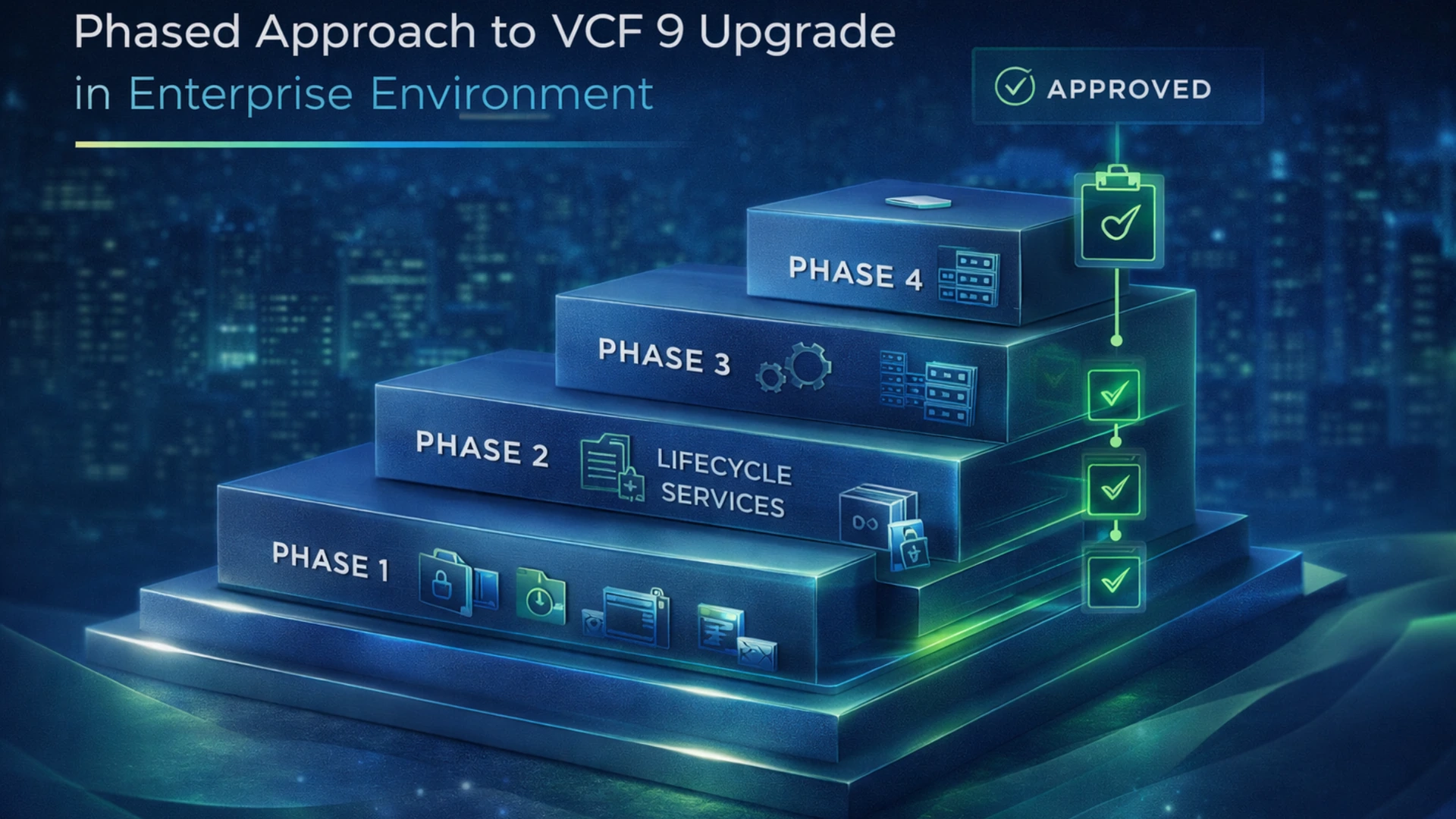
Upgrading to VMware Cloud Foundation 9 sounds fairly straightforward when you first talk about it at a high level. There is a supported path, a target version, and a general sequence of components that need to move forward. On paper, it can look like a version transition with some planning around it.
That is not how it feels in a real enterprise environment.
Once we started working through the details, it became clear that this was not something we wanted to treat as one large change event. There are too many moving parts, too many dependencies, and too many operational realities that sit outside the product documentation. That is why we made the decision to break the upgrade into phases.
For us, the phased approach is not just about reducing technical risk. It is also about making the work more manageable, fitting it into real change windows, and moving through governance in a way that allows the program to keep moving.
Why We Broke the Upgrade Into Phases
The biggest reason is simple: smaller pieces are easier to control.
A VCF 9 upgrade is not just a matter of upgrading one appliance or one management plane component. It touches lifecycle tooling, management services, backup and recovery dependencies, identity and access integrations, automation platforms, and eventually the management and workload domains themselves. Trying to force too much of that into one large effort increases the chances of confusion, overlap, and unnecessary risk.
Breaking the work into phases gives us cleaner boundaries. Each phase has a more specific purpose, a narrower scope, and a validation point before the next stage begins. That makes the overall effort easier to understand and easier to execute.
It also makes problems easier to isolate. If something goes wrong during a tightly scoped phase, it is much easier to identify where the issue lives than it would be in a large change touching multiple major services at once.
Change Windows Matter More Than People Think
One of the biggest drivers behind our approach is the reality of change windows.
In our environment, normal weekday change windows are limited to about eight hours. That is enough time for carefully planned work, but it does not leave much room for overly broad upgrade scope, unexpected delays, or trying to make major sequencing decisions on the fly. Weekend work gives us more room if we need it, but like most teams, we try to avoid using weekend windows unless the scope really justifies it.
That matters more than people sometimes realize.
A phased plan lets us break the work into chunks that have a better chance of fitting cleanly into the windows we actually have. Instead of treating the upgrade like one giant platform event, we can treat it like a controlled progression of smaller events. That gives us a better opportunity to execute within the time available and validate results before moving forward.
In other words, this approach is not just technically cleaner. It is operationally more realistic.
SDLC and Approvals Are Part of the Design
Another major reason for the phased model is that it fits the SDLC and approval process better.
Large all-at-once efforts can become hard to move through governance because they require broad approval for a broad scope of work. Smaller phases create a rhythm that is easier to manage. We can move one phase through non-production, validate it, and while that work is happening, the next phase can already be moving through the approval process.
That gives the effort forward momentum.
Instead of waiting for one massive approval event and then trying to execute everything under one umbrella, we can repeat the same pattern across the program. Get approval for the next phase, perform the work, validate it, then repeat the cycle for production. That overlap helps keep the program moving without forcing the entire upgrade into one oversized change request.
This is one of those areas where enterprise reality reshapes the technical plan. The upgrade path is not driven only by the software. It is also shaped by how work gets reviewed, approved, and executed inside the organization.
Why Our Sequence Does Not Exactly Mirror Broadcom’s Recommended Order
Vendor guidance matters, and Broadcom’s recommendations are an important part of planning. But in the real world, supported does not always mean the execution order has to look exactly like a generic diagram.
In our case, some of the sequencing is being adjusted based on complexity and what can be safely deferred without affecting the broader upgrade. A good example is automation-related work. We are intentionally pushing vRA and VCFA-related activity later in the program because that part of the environment introduces additional migration, content validation, and operational complexity. Since we can defer that work without blocking earlier phases, it makes more sense for us to stabilize core platform components first.
That does not mean ignoring best practices. It means applying them in a way that fits the actual environment.
There is a big difference between an idealized upgrade order and an operationally manageable one. When a component adds complexity and does not have to be front-loaded, moving it later can make the overall effort cleaner.
What the Phased Model Looks Like
At a high level, our plan starts with pre-upgrade readiness work. That includes the usual but important tasks: validating the supported path, making sure binaries are ready, checking storage capacity, verifying certificates, and taking backups of critical components such as SDDC Manager, vCenter, and NSX.
From there, the early phases focus on lifecycle and management services. That includes work around VCF Operations, lifecycle-related upgrades, fleet management deployment, and validation. After that, the plan expands into supporting platform services such as logging, recovery-related components, and other management-layer dependencies.
Once those foundational services are in place, the plan moves into management domain infrastructure. That is where the core platform work becomes more visible: NSX, vCenter, ESXi, vDS, and vSAN. Later phases then handle security and access integration, identity-related configuration, certificate replacement, collectors, and licensing alignment.
Automation is handled later, which is intentional. The final phases then extend the infrastructure upgrade pattern into the workload domains and the surrounding dependent tooling.
The important point is not the exact spreadsheet row order. The important point is that the work has been deliberately separated into phases that allow us to progress, validate, and reduce scope at each step.
Validation Is Not a Formality
One of the patterns built into the plan is repeated validation.
That is not there just to satisfy a checkbox. In a platform upgrade, validation is what gives you confidence that the current phase is stable enough to justify the next one. If you move too quickly past a weak point, small issues can become much larger ones later in the program.
That is especially true when different services build on one another.
A phased plan gives the team opportunities to stop, assess, and confirm functionality before the next stage begins. It also helps separate product-level success from operational success. An upgrade can complete successfully from the software’s point of view and still leave follow-up issues that matter to the people who actually have to run the platform.
That is why repeated validation is so important. It is not just about whether the task finished. It is about whether the environment is actually ready to move on.
Final Thoughts
VCF 9 upgrade planning takes longer than people expect because the real work is not just in the upgrade itself. The real work is in making the upgrade executable.
That means designing around limited change windows, fitting into approval processes, sequencing work in a way that reduces operational complexity, and leaving room to validate each phase before moving into the next one. For us, that is what drove the phased approach.
Could we try to force more into a single event? Probably. But that would not make the plan better. It would just make it harder to manage.
In an enterprise environment, a platform upgrade like this is usually more successful when it is treated as a controlled program instead of a one-night change. That is how we are approaching VCF 9, and so far, it feels like the right decision.
💬 Join the Conversation
Have thoughts or questions? Leave a comment below — your insights help others!