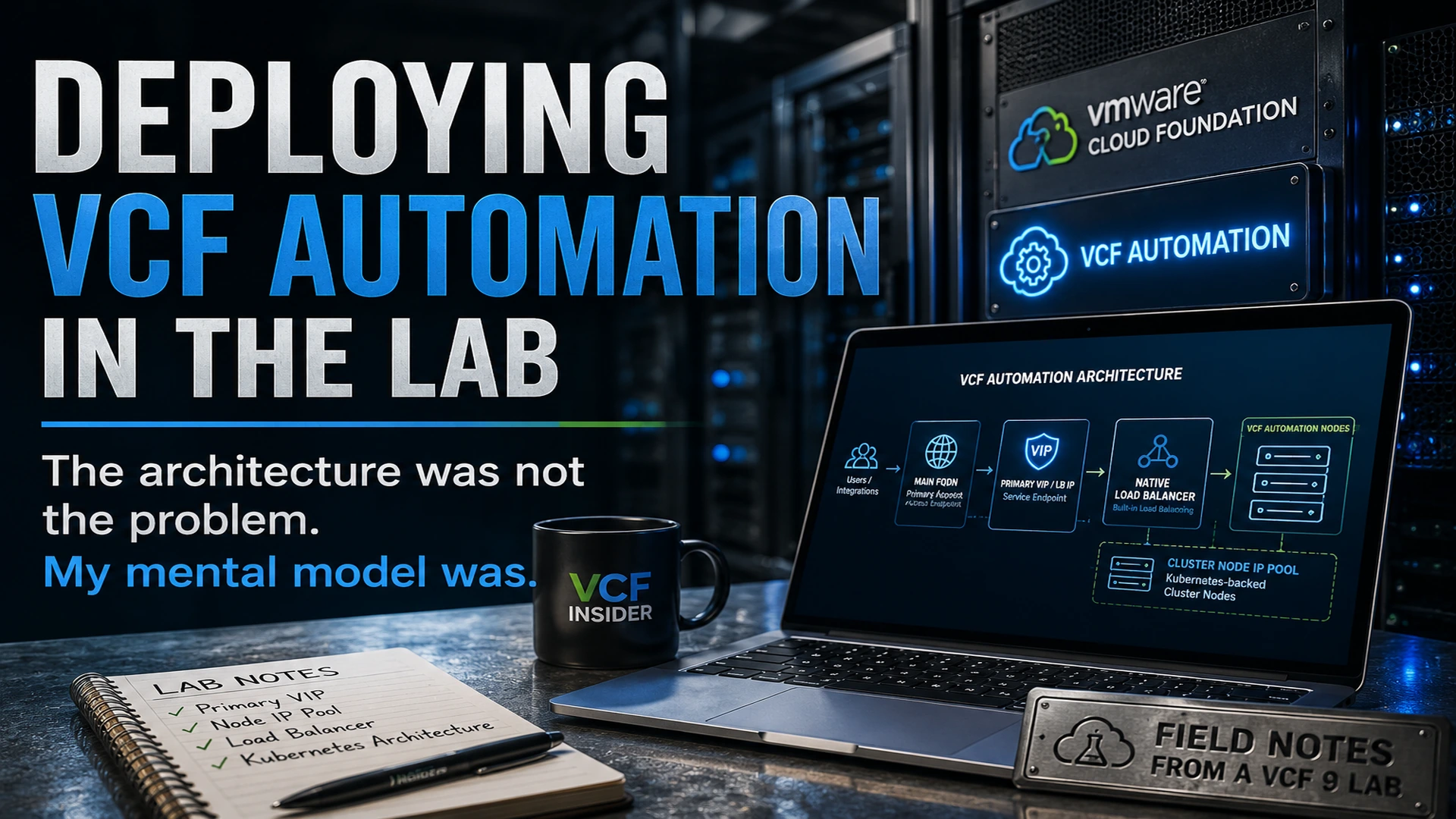
I deployed VCF Automation in my lab yesterday, and one thing became obvious pretty quickly: this is not the same mental model I had from the older Aria Automation days.
The product name is familiar enough, but the underlying architecture has changed. VCF Automation 9 now leans into a Kubernetes-backed internal architecture, and that changes how you need to think about the deployment, especially around the Primary VIP, the native load balancer, and the node IP pool.
This is not intended to be a full step-by-step install guide. I am still working through the lab and learning the platform as I go. This is more of a field note on the part that tripped me up, because I suspect I will not be the only one who looks at the installer and initially thinks about it the wrong way.
Why I Deployed VCF Automation in the Lab
I have been working through my VCF 9 lab build and upgrade path, and VCF Automation was the next logical piece to deploy. I already had the core platform moving forward, including VCF Operations and SDDC Manager, so I wanted to get Automation deployed and start understanding how it fits into the VCF 9 operating model.
For me, the goal was not just to get a green checkmark in the installer. I wanted to understand what the deployment was actually building underneath, what assumptions the installer was making, and what I needed to document for future rebuilds.
That last point is important. In a lab, it is easy to click through something once and move on. But if I cannot explain it later, or rebuild it cleanly, I do not really understand it yet.
The Architecture Shift
The first thing that stood out is that VCF Automation 9 does not feel like the older appliance-style Aria Automation deployment model.
In the older mindset, I would normally think in terms of:
- Appliance name
- Appliance IP
- DNS record
- Load balancer VIP, if clustered
VCF Automation 9 is different.
Broadcom documents VCF Automation as running inside a Kubernetes-based container environment, with a native load balancer used as the default load balancing option for simple and high availability deployment models. That explains why the deployment feels different. Under the covers, this is not just a single appliance exposing a web UI. It is a service endpoint sitting in front of a Kubernetes-backed set of VCF Automation nodes.
That architectural shift is what made the Primary VIP click for me.
Kubernetes Is Now Part of the Mental Model
Another architecture change that stood out during the deployment is that Kubernetes is no longer just something adjacent to the automation platform. It is part of how VCF Automation 9 is built and operated internally.
That was an important shift for me. I was not deploying a traditional automation appliance and then optionally integrating it with Kubernetes later. The deployment itself was building a Kubernetes-backed automation platform, with services running behind the native load balancer and node IPs supporting the cluster underneath.
That also explains why the install has fields that feel different if you are coming from the older Aria Automation appliance model. The Primary VIP, native load balancer, and node IP pool are not random installer details. They are part of the way the platform exposes services and manages the backend cluster.
Once I started thinking about VCF Automation as a Kubernetes-backed service platform instead of a traditional appliance, the rest of the deployment made a lot more sense.
The Primary VIP Requirement That Tripped Me Up
The part that tripped me up was the Primary VIP.
I initially thought about it like a traditional appliance IP, but that is not really the right way to look at it anymore. With VCF Automation 9, the VIP is tied to the internal load-balanced service endpoint, while the node IP pool is used by the Kubernetes-backed cluster underneath.
That distinction matters.
The Primary VIP / Load Balancer IP is the main access point for VCF Automation services. The cluster node IPs are used by the VCF Automation nodes behind the scenes. In a high availability design, the native load balancer sits in front of the VCF Automation nodes and presents the service endpoint to users and integrations.
In other words:
- The VIP is the front door.
- The node IP pool is the backend plumbing.
- DNS and certificates need to line up with the service endpoint.
That may sound like a small detail, but it completely changes how you think about the install.
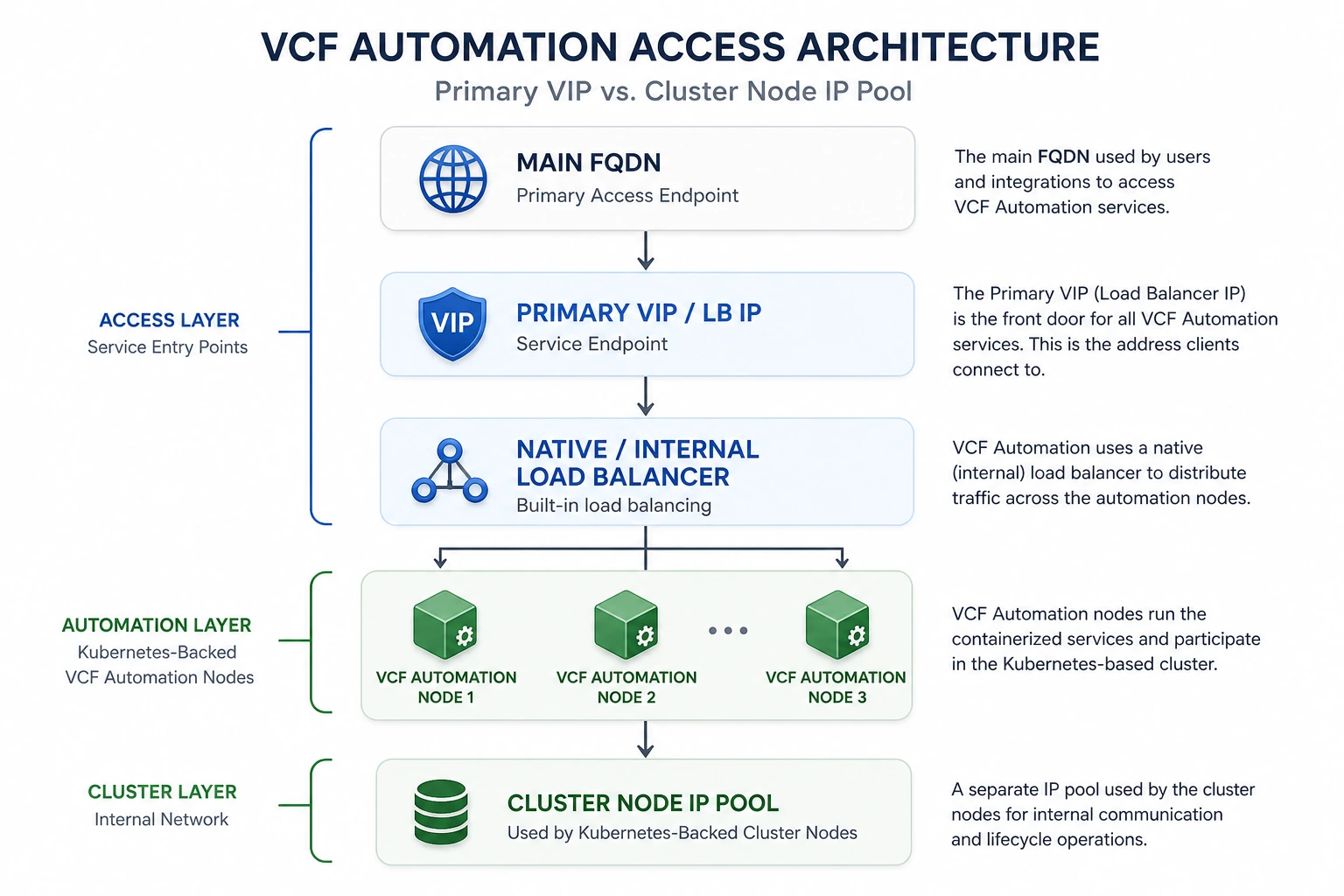
Simplified view of the VCF Automation access path. Actual deployments may include additional VIPs or node IP requirements depending on the deployment model and lifecycle operations.
Why DNS and Certificates Matter Here
This is also why DNS and certificates matter so much during the deployment.
The Main FQDN, Primary Access Endpoint, Primary VIP, and certificate SANs all need to make sense together. If you treat the VIP like a random spare IP or think of it as just another node address, the design gets confusing quickly.
The cleaner way to think about it is this:
- Users and integrations connect to the main FQDN.
- That FQDN resolves to the Primary VIP / load-balanced service endpoint.
- The native load balancer distributes traffic to the VCF Automation nodes.
- The node IP pool supports the backend Kubernetes-backed cluster nodes and lifecycle behavior.
Once I understood that flow, the deployment made a lot more sense.
What I Learned
The biggest lesson from this deployment was not a command, a checkbox, or a UI screen. It was the architecture.
VCF Automation 9 is part of the broader VCF 9 shift toward a more integrated private cloud platform. That means some of the old product assumptions do not map perfectly anymore. The installer is not just dropping a traditional automation appliance into the environment. It is building a service-oriented component that depends on the right endpoint, load balancing, node IPs, DNS, and certificates.
A few takeaways from the lab:
- Do not treat the Primary VIP like a normal appliance IP.
- Understand the difference between the service endpoint and the node IP pool.
- Make sure DNS is planned before deployment.
- Pay close attention to certificate SAN requirements.
- Document the IP plan so the deployment can be rebuilt later.
- Expect the VCF Automation architecture to feel more Kubernetes-like than legacy appliance-like.
My First Impression
My first impression is that VCF Automation is becoming more tightly integrated into the VCF platform, but that also means the deployment has some new concepts that need to be understood up front.
The good news is that once the Primary VIP and node IP pool relationship clicked, the design started to make sense. The confusing part was not that the architecture is bad. The confusing part was that I initially approached it with the wrong mental model.
That is probably the real lesson here.
If you are used to older Aria Automation deployments, take a few extra minutes to understand the access endpoint, Primary VIP, native load balancer, and node IP pool before you deploy VCF Automation 9. It will save you some head scratching later.
Final Thoughts
This deployment was a good reminder that VCF 9 is not just a version upgrade. Some components are changing in meaningful ways, and VCF Automation is a good example of that.
The product may still provide automation and self-service capabilities, but the deployment architecture is more cloud-native than the older appliance model many of us are used to.
For my lab, the big takeaway was simple:
The VIP is the front door. The node IP pool is the backend cluster plumbing. Do not mix those concepts up.
I will continue documenting the VCF Automation deployment as I work through the rest of the lab, especially once I start integrating it more deeply with the rest of the VCF stack.
Continue the Conversation
Have a question, a different approach, or something you have learned from the field?
Join the VCF Insider Community to connect with other engineers, homelab builders, and virtualization folks working through real-world VCF deployments, troubleshooting, automation, architecture, and lessons learned.