
Planning a VMware Cloud Foundation upgrade usually starts with a browser full of tabs.
You have the upgrade documentation open, release notes for every product in the stack, a few KB articles, the interoperability matrix, hardware compatibility information, and probably at least one PDF that links to another PDF. Then you start building your own spreadsheet or runbook so you can keep track of the order, dependencies, resource requirements, and anything that might cause trouble.
It works, but it takes time. A lot of time.
VMware has now published a browser-based VCF Upgrade Planner that pulls much of that research into one place. You enter the environment you have today, select the products and versions involved, choose the destination, and the planner builds a structured upgrade path with sequencing, requirements, warnings, and links to the related Broadcom documentation.
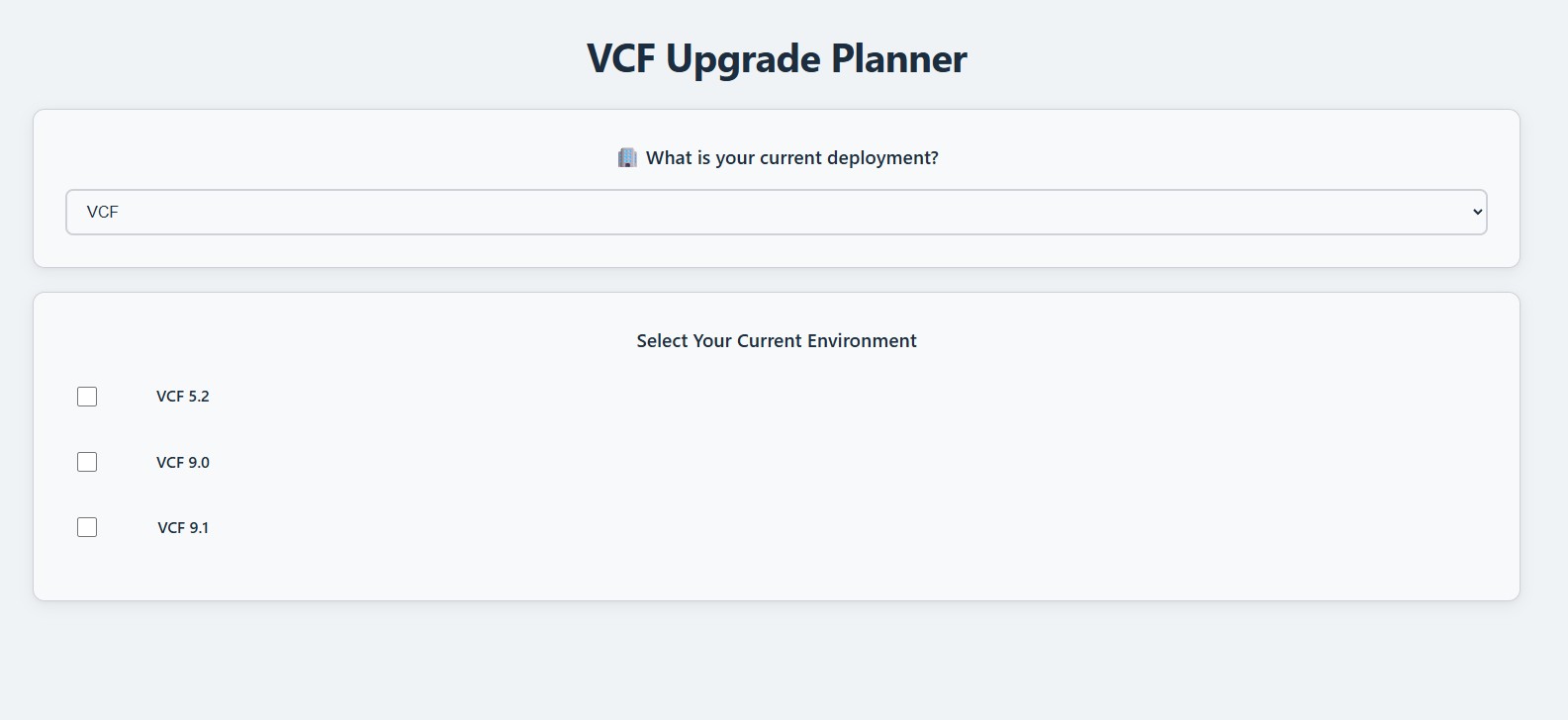
Figure 1: The planner starts with the environment you have today. In my case, that means selecting VCF 9.0.2 as the starting point for an upcoming VCF 9.1 management-domain upgrade.
My lab is currently running VCF 9.0.2, and I plan to use this tool as the starting point for my VCF 9.1 management-domain upgrade. I am still going to read the documentation and validate the environment myself, but I would much rather start with an organized plan than spend hours figuring out which documents I need before I can even begin.
The Part That Actually Saves Time
The biggest value is not that the planner contains some secret upgrade method nobody knew about. Most of the information already exists somewhere in Broadcom documentation.
The problem has always been finding all of it, deciding what applies to your environment, and putting it into the correct order. The planner handles that organization for you.
Instead of starting with a blank document, you get a workflow built around the products and versions you selected. The generated plan includes the upgrade phases, component sequencing, resource requirements, warnings, and direct links to the relevant documentation and KB articles. The project README describes the output as a step-by-step path to VCF 9.1, broken into smaller phases and including network and resource requirements.
That is a meaningful improvement for anyone who has had to build one of these plans manually.
A VCF upgrade is rarely just “upgrade SDDC Manager, then upgrade everything else.” The real work is in the dependencies. Avi may need attention before the main lifecycle workflow. A vSAN witness may need to move before the hosts. An older Identity Manager deployment may need to be migrated instead of upgraded. A service you assumed had an in-place path may require a completely new deployment.
The planner brings those details into the workflow instead of leaving you to discover them halfway through the change.
It Handles More Than One Starting Point
The tool is not limited to environments already running VCF.
The current-deployment screen supports both traditional vSphere environments and existing VCF environments. For vSphere-based sources, you select the products already present—such as vCenter, ESX, VCF Operations, VCF Automation, NSX, VxRail, and VMware Cloud Director—along with their current versions.
Existing VCF environments can be selected by their current VCF version, including VCF 5.2 and VCF 9.0 releases.
The repository also contains generated paths for both VMware Cloud Foundation and VMware vSphere Foundation destinations. The VVF scenarios include paths with and without VCF Management Services, while the VCF scenarios cover upgrades and convergence from existing VCF or traditional vSphere environments.
That distinction matters because the work required to move a traditional vSphere environment toward VCF is not the same as upgrading an existing VCF 9.0 deployment to 9.1. The planner changes the workflow based on the source, selected products, versions, and destination instead of presenting one generic checklist.
The Requirements Are Where It Gets Useful
One of the more useful parts of the generated plan is the infrastructure requirement section.
VCF 9.1 introduces VCF Management Services requirements that need to be understood before the upgrade window. The planner calls out the network allocation, DNS entries, node sizing, CPU, memory, and storage requirements for the selected deployment model.
For example, the repository data for a VCF 9.0-to-9.1 path calls for a minimum of 12 IP addresses for the initial VCF Management Services deployment. It also lists the supporting service names and DNS requirements for Fleet services, Instance services, the VCF services runtime, Identity Broker, and the License Server.
The sizing tables vary by deployment type and include the number of nodes, vCPU, memory, and storage.
The plan also warns about the internal network used by the VCF services runtime. By default, that range is 198.18.0.0/15, and it must not overlap with the management network. The repository notes that alternate ranges can be supplied during deployment when needed.
That is the type of information I want to know before a change request is submitted—not while I am halfway through deploying the new services and discovering that networking, DNS, or storage was never accounted for.
Upgrade Order Without Building It by Hand
The generated workflow is divided into phases instead of being presented as one long wall of tasks.
The repository data includes an explicit component order that can account for:
- VCF Operations
- VMware Live Recovery
- vSAN Data Protection
- Avi Load Balancer
- SDDC Manager
- VCF Management Services
- Identity Broker
- VCF Automation
- Orchestrator
- VCF Operations for Networks
- VMware HCX
- NSX Federation
- NSX
- vCenter
- vSphere Supervisor
- vSAN witness hosts
- VxRail
- ESX
- NSX Edge
- VCF Operations for Logs
- vSAN File Service
The exact workflow changes according to what you select.
The plan separates the work into manageable phases and identifies safe stopping points between sections. That is useful when the upgrade cannot reasonably fit into one maintenance window or when different teams own different parts of the stack.
This does not remove the need to understand the sequence, but it gives you something solid to review instead of trying to reconstruct the order from a collection of documents written by different product teams.
Optional Products Are Not an Afterthought
The planner lets you include products and features that are easy to overlook when the initial focus is the management domain.
Depending on the selected path, the repository includes support for:
- Avi Load Balancer
- VMware HCX
- NSX Federation
- NSX Edge nodes
- vSphere Supervisor
- VCF Operations for Logs
- VCF Operations for Networks
- vSphere Replication
- Site Recovery Manager
- VMware vDefend Distributed Firewall
- Standalone Aria Automation Orchestrator
- vSAN File Service
- vSAN Data Protection
- VMware Live Recovery
Those options are not just labels on the screen. They are placed into the appropriate part of the workflow, with related steps and documentation included in the generated plan.
I learned the value of that during my recent VCF 9.0.2 upgrade planning. Avi was not the component I started out thinking about, but it was still capable of blocking the entire plan. Anything that makes those dependencies visible earlier is useful.
The Warnings Are Probably the Best Part
The planner does more than arrange product names into an upgrade order. It surfaces warnings that can materially change the plan.
Some of the examples currently represented in the repository include:
- vLCM baseline migration: Clusters still using vSphere Lifecycle Manager baselines must be transitioned to vLCM images for applicable upgrade paths.
- ESX bootbank sizing: The plan calls out validating that
/bootbankis at least 1 GB. - Hardware support: It reminds the engineer to validate the hardware against the VCF 9.1 compatibility requirements.
- Identity Manager migration: Older VMware Identity Manager deployments move to VCF Identity Broker rather than following a normal in-place upgrade path.
- vSAN witness sequencing: Witness hosts must be upgraded before the ESX hosts in stretched-cluster scenarios.
- New deployments: Some components, including VCF Operations for Logs in the documented path, do not have an in-place upgrade and require a new 9.1 deployment.
None of those warnings is especially helpful if you discover it during the maintenance window.
Seeing them during the planning phase gives you time to verify hardware, adjust the sequence, request IP addresses, involve the identity team, or split the work into additional changes. That is exactly where a planner should add value.
Documentation Without Another Search Session
Each component step includes inline links to the relevant Broadcom documentation or KB article.
That sounds like a small feature until you think about how much time gets spent searching the support portal for the correct version of a document. The planner links the task directly to the material that explains it, including known-issue KBs where they have been included in the repository data.
I would still verify the links and check for newer KBs before the actual upgrade. The repository is actively changing, and product guidance can change after a plan is generated.
Even so, having the starting documentation attached to the correct phase is considerably better than opening a search engine and hoping you found the right release.
The Exports Are Actually Practical
Once the plan is generated, it can be exported for offline use.
The generated workflow pages include export functions for individual phases and the complete plan. The workflow diagram can also be exported separately.
That gives you something you can attach to a change record, review during a planning meeting, hand to another team, or use as the beginning of an internal runbook.
I would not treat the generated PDF as the final change procedure without reviewing it. I would treat it as a very good first draft that already contains most of the research I would otherwise have to assemble myself.
It Is a Planner, Not an Implementer
The name is important.
This is the VCF Upgrade Planner, not the VCF Upgrade Implementer.
It does not connect to your SDDC Manager, vCenter, NSX environment, or hardware inventory. It does not discover what is deployed, verify that your DNS is correct, validate the available storage, inspect your bootbanks, run compatibility prechecks, or perform the upgrade.
You enter the environment details manually, and the tool builds the plan from those selections. That means the quality of the output still depends on the accuracy of the information you provide.
You still need to:
- Inventory the real environment
- Validate hardware and firmware support
- Run the official product prechecks
- Review release notes and current known issues
- Confirm backups and recovery procedures
- Validate the plan with the teams responsible for each component
- Perform the upgrade through the supported lifecycle tools and product procedures
That limitation does not reduce the planner’s value. It keeps the tool focused on the part it is designed to improve: research and planning.
How I Plan to Use It
My lab is currently on VCF 9.0.2, and the next major step is the VCF 9.1 management-domain upgrade.
I plan to start with the planner, select the products and optional services that are actually present, generate the complete workflow, and export the PDF and diagram. From there, I will compare its output against my lab runbook, validate each requirement against the real environment, and follow the linked documentation for the detailed procedures.
I also want to use its output as a gap check.
If the planner calls for an IP range, DNS record, resource allocation, product migration, or sequencing requirement that is missing from my runbook, I want to find that now—not after I start the upgrade.
That is where this tool fits for me. It will not replace the runbook, but it should make the first version of the runbook much faster to build.
How to Use It
The workflow is simple:
- Open the VCF Upgrade Planner.
- Select whether the current environment is vSphere or VCF.
- Choose the current product versions.
- Select the VVF or VCF destination offered for that scenario.
- Add any optional products or features present in the environment.
- Generate the upgrade path.
- Review the phases, requirements, warnings, stopping points, and linked documentation.
- Export the individual phases, complete PDF, and workflow diagram as needed.
Before using the output in a real change, compare it against an actual environment inventory and the latest official product documentation.
Honest Limitations
The planner is new, and the public repository is still being updated. I would expect the available scenarios, warnings, links, and supported version combinations to continue changing.
It is also a static planning tool. It cannot tell whether your environment has an unsupported NIC, a bad DNS record, a failed backup, an expired certificate, a full datastore, or a product combination that was entered incorrectly.
There will also be environments with edge cases the planner does not fully represent. Custom integrations, unusual topology decisions, older components, and one-off support guidance may still require GSS involvement and additional research.
That is normal. No planning tool can replace knowing the environment.
The important difference is that this one gives engineers a much better starting point.
Final Thoughts
VCF upgrades are still complicated because VCF environments are complicated. There are a lot of products, a lot of dependencies, and a lot of documentation spread across different places.
The VCF Upgrade Planner does not make that complexity disappear, but it organizes it into something an engineer can work with.
For me, that is enough to make it useful.
Instead of beginning my VCF 9.1 upgrade plan with an empty spreadsheet and twenty browser tabs, I can begin with a phased workflow, a requirements list, the important warnings, and the documentation already attached.
I will still verify every step. I just will not have to start from scratch.
Resources
- VCF Upgrade Planner
- VCF Upgrade Planner GitHub Repository
- VCF Upgrade Planner README
- VCF Upgrade Planner Issues and Feedback
Continue the Conversation
Read the article, then join the discussion: VCF 9.x Upgrade Planning: What Should Engineers Watch For?