Earlier in my career, I wore a lot of hats. I worked with VMware, Exchange, SharePoint, networking and storage, while also handling backups and disaster recovery. On the backup side, that meant spending a lot of time with products like Backup Exec and vRanger. We were also using Compellent SAN replication for disaster recovery, back before Compellent became part of Dell. At one point I was responsible for my company’s entire backup environment and recovery strategy, so whether we could actually get our data back was something I spent a lot of time thinking about.
Back then, retention models like Grandfather-Father-Son were pretty normal. You kept daily, weekly and monthly copies so that when something went wrong, you hopefully had enough history to get yourself out of trouble. Maybe somebody deleted something they shouldn’t have, an application upgrade went sideways, storage failed, or a server simply died. The details changed, but the recovery question was usually pretty straightforward: what is the best usable copy I have, and can I restore it?
The tools got much better over the years. Virtualization changed the way we protected systems, VM-aware backup products made recovering entire workloads easier, SAN replication gave us another way to protect data between sites, and DR automation eventually let us recover applications without rebuilding everything from scratch. RPO and RTO became a much bigger part of the conversation, but there was still a fairly safe assumption underneath most of it: when something broke, we wanted to find the best available copy and bring it back.
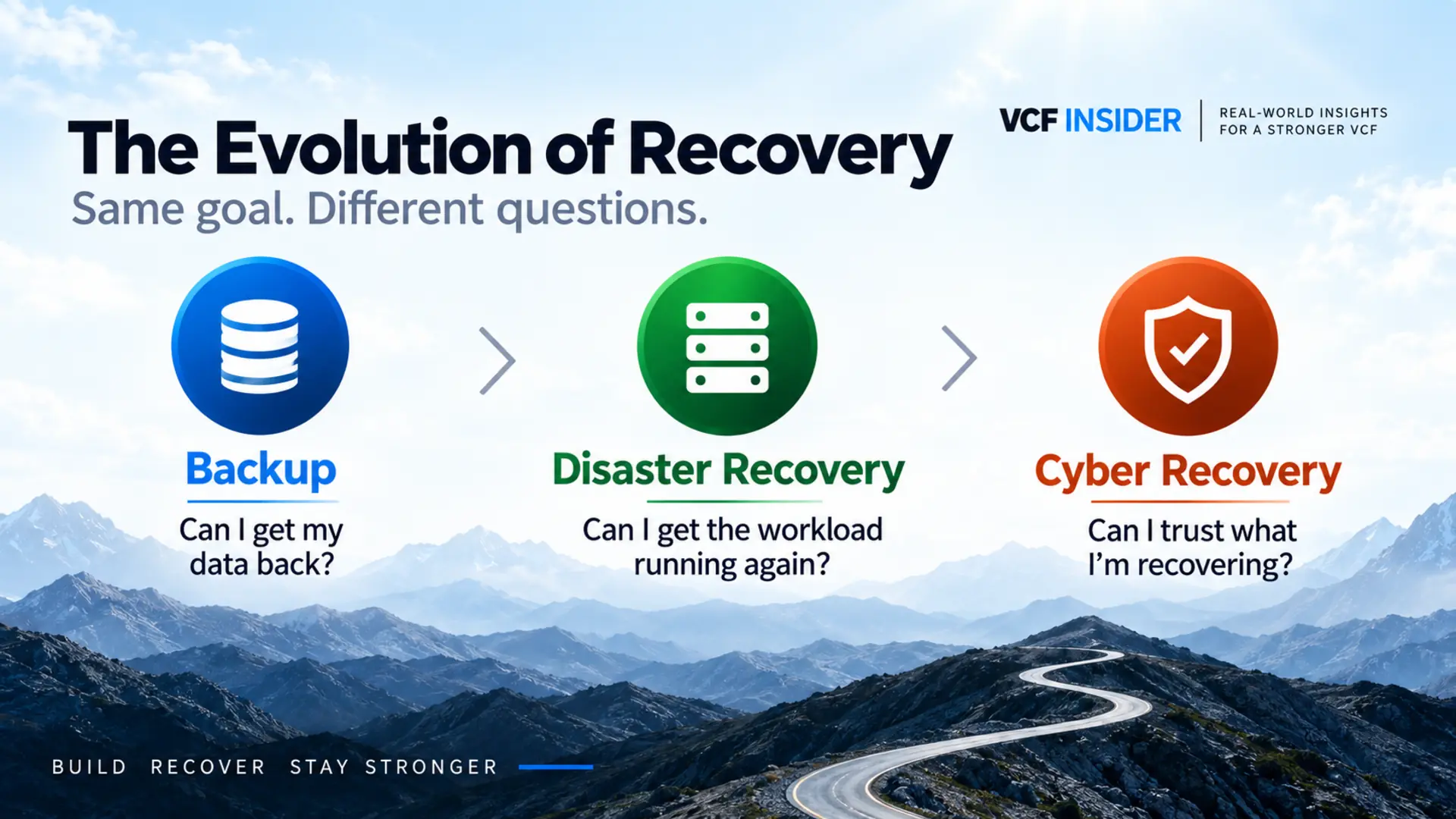
A cyber incident challenges that assumption because the copy itself may be part of the problem. That was one of the things that really stood out to me during a VMware Explore session on Protection and Recovery. The presenters kept coming back to a question that sounds simple until you think through the implications: How do you know your backups are good? They weren’t talking about whether the backup job completed, whether a snapshot existed, or even whether a restored VM would boot. They were asking whether that recovery point represented a state you were actually willing to return to production.
An attacker may have been in the environment for days or weeks before anyone realizes there is a problem, while backups continue completing and replication continues working exactly as designed. From the perspective of the backup platform, nothing necessarily went wrong, yet some of those successful recovery points may contain the same compromise you are trying to escape. A backup can be completely recoverable and still be the wrong thing to restore.
DR and Cyber Recovery Aren’t Solving the Same Problem
Traditional disaster recovery is primarily about restoring availability. If I lose a datacenter because of a power event, hardware failure, storage problem or some other infrastructure issue, I generally still trust the workload I am trying to recover. My problem is that I can no longer run it where it was running before, so I need another copy and another place to bring it online.
That naturally pushes us toward the most recent usable recovery point. If I can recover from five minutes ago instead of five hours ago, that is usually a good thing because I have reduced the amount of data I may lose. We have spent years improving RPOs for exactly that reason, and cyber recovery does not make any of that less important.
During a cyber incident, however, the newest recovery point and the best recovery point may no longer be the same thing. If ransomware becomes obvious Tuesday morning, the initial compromise might have happened Monday night, the previous Friday, or several weeks earlier. Restoring Monday night’s backup could give me a great RPO while also returning compromised state right back into the environment.
One of the best-known examples of how different a cyber event can be was the 2021 Colonial Pipeline ransomware attack. The attack affected Colonial’s IT systems, and the company proactively shut down pipeline operations while it worked to isolate and contain the attack and make sure the malware had not spread into the operational technology network controlling the pipeline. Colonial’s CEO later testified that the shutdown decision was driven by the need to prevent the attack from reaching OT if it had not already.
The physical pipeline had not suffered the kind of infrastructure failure we normally associate with DR. Colonial had working infrastructure, but before normal operations could resume it needed to understand the scope of the incident and make sure bringing systems back online would not make the situation worse. That is much closer to the problem cyber recovery is designed around: not merely getting something running again, but establishing enough confidence in the environment to decide that it is safe to move forward.
That is why I keep coming back to the idea that traditional recovery is about getting data back, while cyber recovery is about deciding whether what you are getting back can be trusted. With DR, I am primarily solving an availability problem. With cyber recovery, I still need to restore availability, but now I also have to evaluate the state I am about to return to production.
Replication is a good example of the difference. Its job is to keep another copy of a workload current, and it can do that perfectly whether the source workload is healthy or compromised. Keeping the replica current does not tell me whether the state being replicated is something I actually want. VCF 9.1 Protection and Recovery adds cyber-recovery workflows around isolation, validation and recovery history because simply possessing a recoverable copy does not answer that question.
This is where the old “trust, but verify” idea gets turned around a little. During a cyber event, the safer mindset may be verify before you trust. Disaster recovery generally begins with the assumption that the workload is worth recovering; cyber recovery gives you a process to decide whether that assumption is still valid.

What Does a “Good Backup” Mean Now?
When I was managing backups, retention was mostly about making sure enough versions existed to get us out of trouble. If Tuesday’s copy was bad because of something that happened Monday, maybe I needed Sunday. If somebody deleted a file several weeks earlier, maybe I had to reach farther back. The important part was having enough history and knowing that I could restore from it.
Cyber recovery still needs that history, but the reason for using it can be very different. Instead of simply finding the newest copy that predates a known failure, I may be trying to determine when an environment went from trustworthy to questionable, and that point may not line up neatly with the moment the attack finally became visible.
A recovery point can be “good” in the traditional sense because the job completed, the data is there, the copy is readable and the restore works. None of those things necessarily answer whether the system had already been compromised when that backup or snapshot was taken. The same is true for disaster recovery: a DR environment can work exactly as designed and successfully fail over a workload, but if that workload already contains the problem I am trying to escape, I have really just moved the problem somewhere else.
Cyber recovery does not replace backup or traditional DR. Those capabilities are still essential, and a cyber-recovery strategy would be in pretty bad shape without them. What changes is that there is another decision between having a recoverable copy and actually using it: which version of this workload am I willing to trust?
Recovery Starts Looking More Like an Investigation
Once that becomes the question, the architecture around cyber recovery starts making more sense. If I do not know when the compromise began, I need enough recovery history to go back and investigate. I need information that can help identify suspicious periods in that history, somewhere isolated to power on a candidate workload, and a process that lets me inspect it without immediately reconnecting it to production.
I also have to accept that my first choice may be wrong. A candidate recovery point may still contain malware or evidence of persistence. It could have vulnerabilities that need to be addressed before anyone is comfortable returning it to service, or the investigation may simply tell me that I need to go farther back. Cyber recovery therefore cannot assume a straight path from the latest backup to production.
VCF 9.1 approaches that problem with a cyber recovery clean room, vSAN snapshots and replication, recovery-point analysis, EDR integration and a workflow that allows teams to validate a candidate and then move to another snapshot if necessary. Broadcom describes the clean room as a network-isolated location where VM snapshots can be powered on for analysis, remediation and validation before final recovery.
The workflow itself reflects that investigative process. During validation, VMs are powered on in the clean room, security sensors can perform vulnerability, behavioral and malware analysis, and administrators can patch vulnerabilities, remove malware, change isolation or try another recovery point. If another snapshot is selected, Protection and Recovery discards the current clean-room iteration and starts again using the newly selected snapshot.
I’m deliberately stopping short of going deeper into those mechanics here because they are really the subject of Part 2. That article will get into the recovery-point timeline, change rate and entropy, snapshot badging, retention, the clean-room workflow, EDR integration, and what actually happens when you decide one recovery point is not the one you want.
Recovery Has Changed, but the Basics Still Matter
For me, the bigger takeaway from the Explore session was how much the recovery question has changed over the course of my career. We went from worrying about whether we had enough copies, to making sure we could recover complete virtual workloads, to replicating and orchestrating recovery across sites. None of that becomes obsolete because cyber recovery exists; it is the foundation cyber recovery has to build on.
What has changed is the assumption we can make about the recovery point itself. A successful backup, a current replica, or a VM that powers on tells us useful things about recoverability, but none of them by themselves tell us whether the workload should go back into production after a cyber incident.
That is why verify before you trust keeps coming back to me. During a cyber recovery, we may have to investigate several points in time, isolate a candidate, analyze and remediate it, reject it if necessary, and repeat the process before we have enough confidence to move forward. That is really the point behind the title: just because you can restore something doesn’t necessarily mean you should. Part 2 is coming soon, and I’ll dig into how VCF 9.1 handles recovery-point analysis, clean-room validation, EDR integration, snapshot retention, and the workflow used to decide which recovery point is ready to return to production.
References
- VMware by Broadcom - Protection and Recovery 9.1.x: Welcome to Cyber Recovery
- U.S. Department of Energy - Colonial Pipeline Cyber Incident
- U.S. Senate HSGAC - Testimony of Joseph Blount, Colonial Pipeline Company, June 8, 2021
Continue the Conversation
Read the article, then join the discussion: When Is a Recoverable Backup the Wrong Thing to Restore?