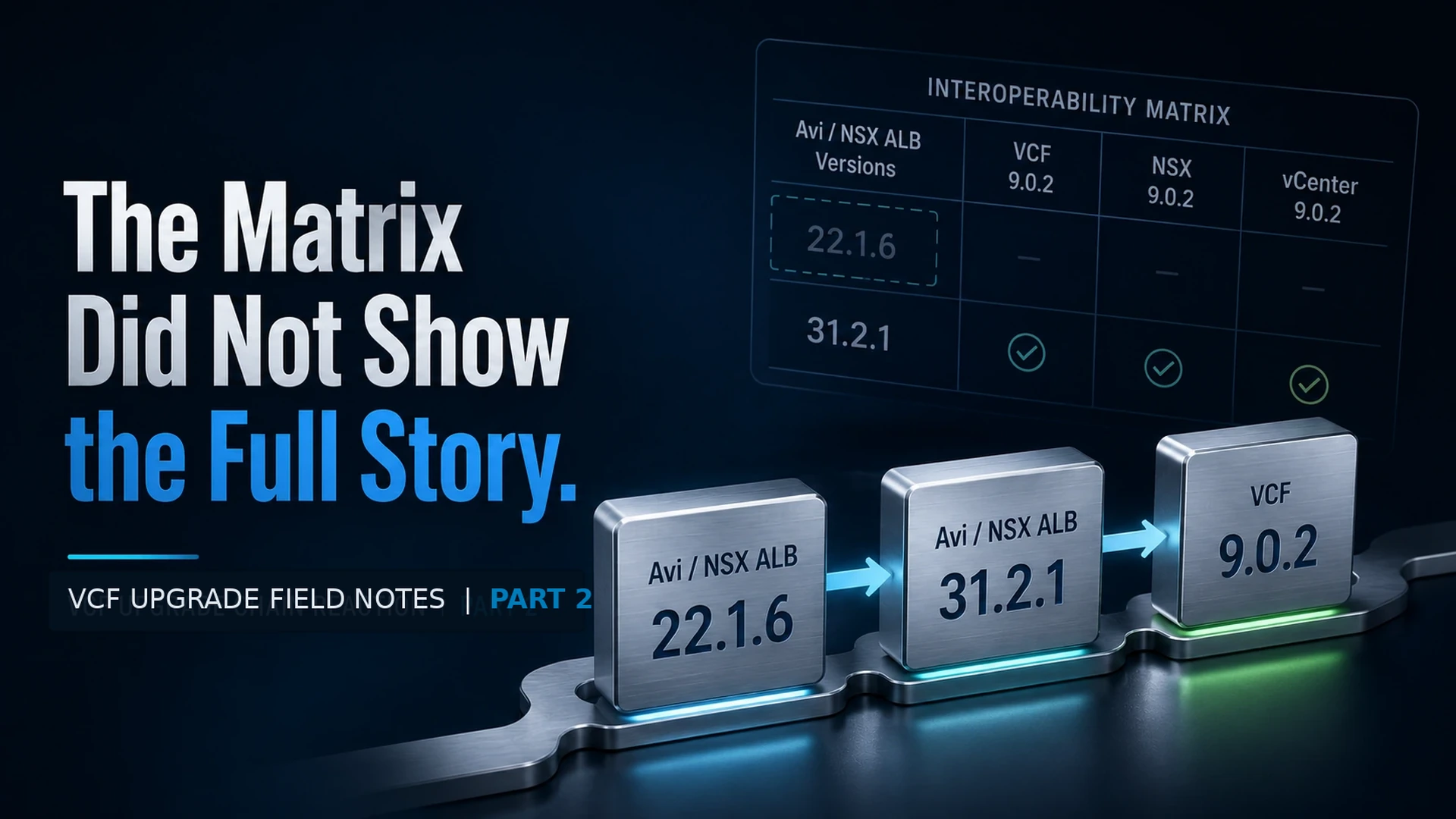
The Matrix Did Not Show the Full Story
In Part 1, I covered the first problem I hit while planning a VCF 9.0.2 management domain upgrade.
SDDC Manager was already running 9.0.2, and the Plan Upgrade workflow showed VCF 9.0.2 as a selectable target. At first glance, it looked like we were ready to start building the management domain upgrade plan.
Then the compatibility check called out Avi / NSX ALB 22.1.6.
The blocker itself was clear enough. The installed Avi version did not line up with the target VCF 9.0.2 component stack.
The part that burned time was figuring out the correct path forward.
Where the Blocker Started
After selecting VCF 9.0.2 as the target, SDDC Manager flagged Avi / NSX ALB during the compatibility check.
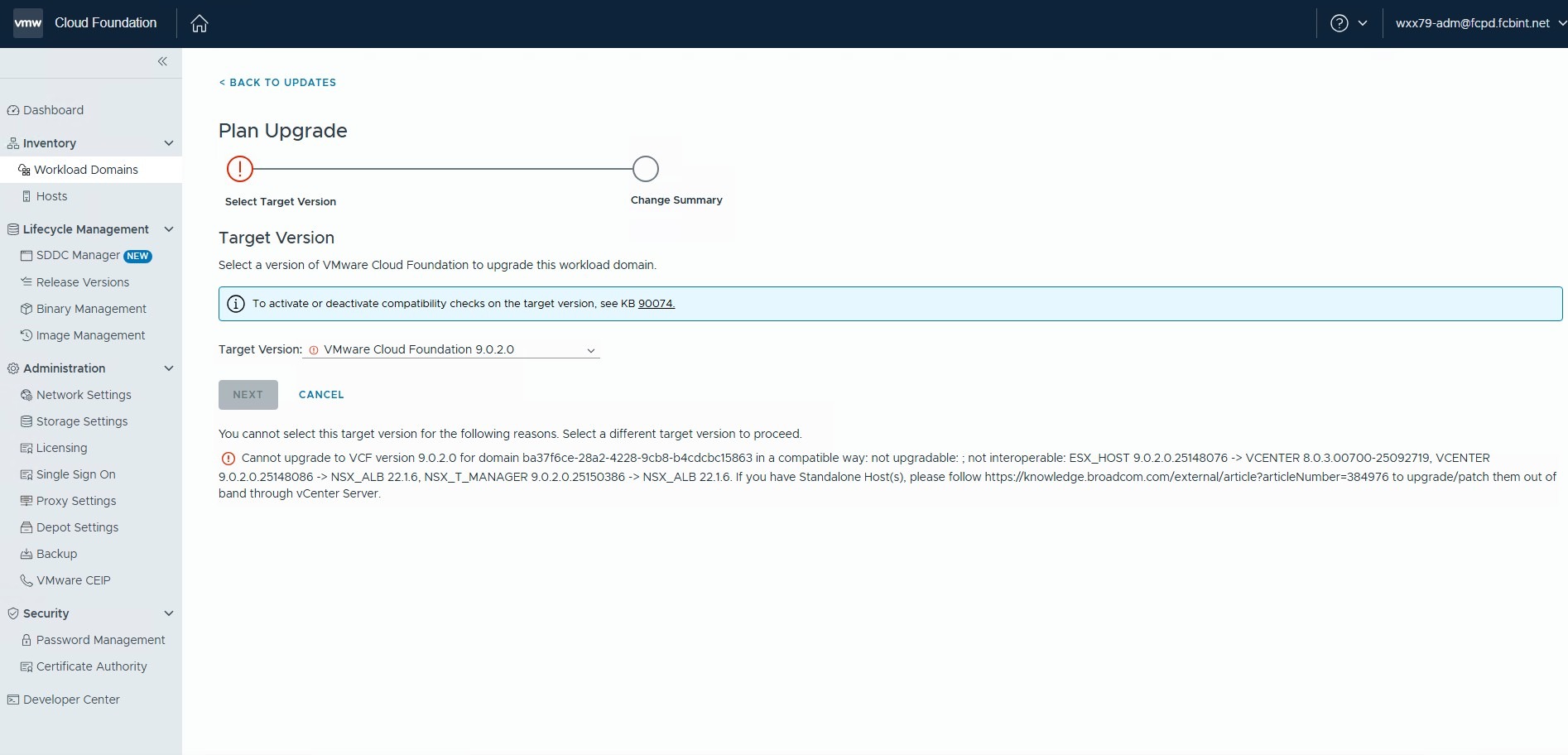
The compatibility result pointed at the relationship between the target VCF 9.0.2 components and the Avi version currently installed in the environment.
| Target Component | Existing Dependency | Compatibility Result |
|---|---|---|
| vCenter 9.0.2.0 | NSX ALB / Avi 22.1.6 | Not interoperable |
| NSX Manager 9.0.2.0 | NSX ALB / Avi 22.1.6 | Not interoperable |
That was enough to stop and reassess the plan.
SDDC Manager could see the VCF 9.0.2 target. The target version was not the issue. The blocker was the Avi version already sitting in the environment.
So the next question was simple:
What version of Avi do we need before the management domain upgrade can move forward?
Where the Matrix Fell Short
The obvious place to check was the Broadcom Interoperability Matrix.
I expected this part to be pretty mechanical. Select Avi / NSX ALB 22.1.6, compare it against the VCF 9.0.2 target stack, and confirm the next supported version.
That is not how it played out.
The environment was running 22.1.6. SDDC Manager clearly identified 22.1.6 in the compatibility check. But in the matrix view I was using, that exact version was not available as a selectable Avi Load Balancer version.
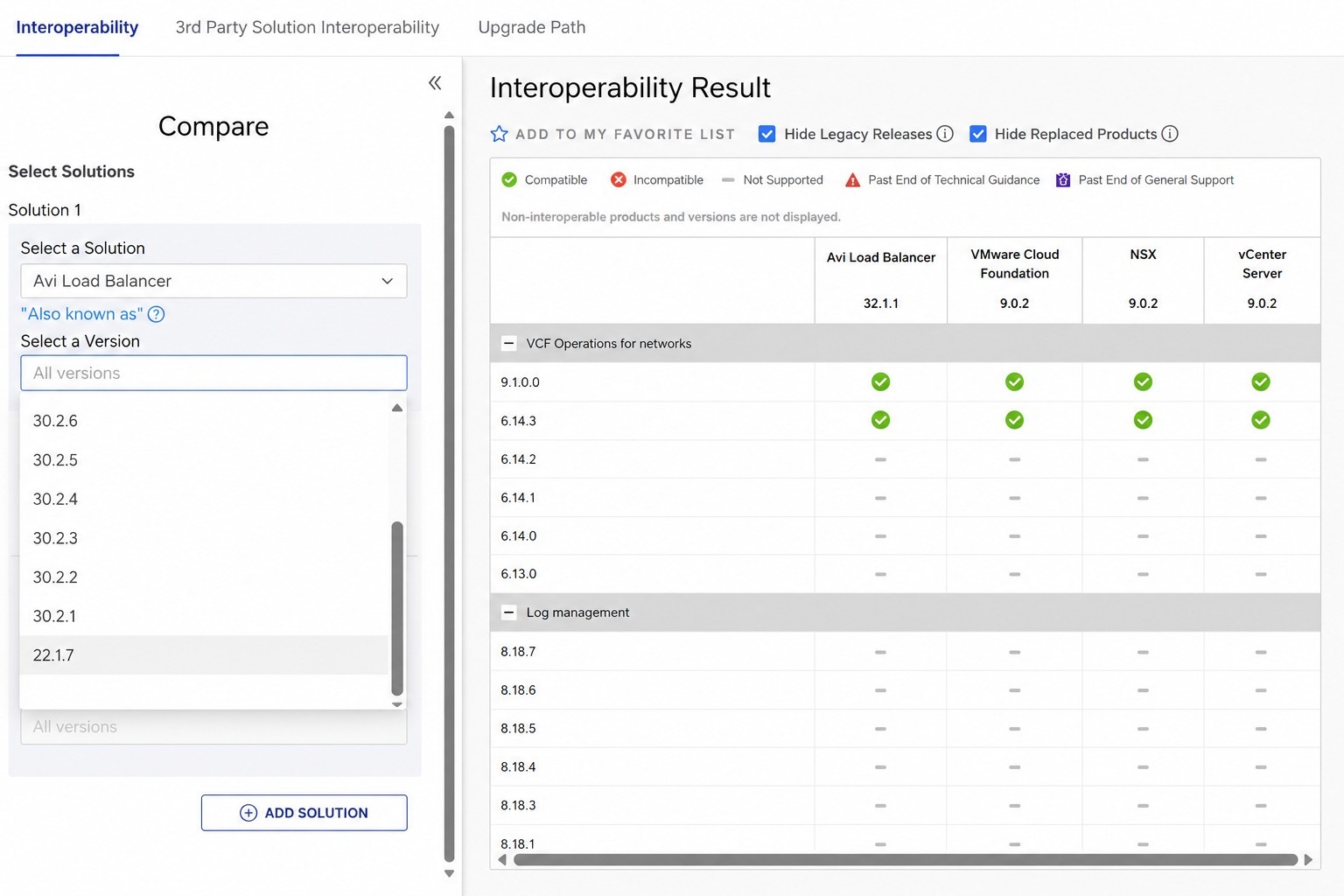
That was the frustrating part.
The version obviously existed. It was installed in the environment, and SDDC Manager detected it correctly. But when it came time to validate the upgrade path, the matrix did not let me select the version I actually had.
Maybe 22.1.6 was old enough that it was no longer being surfaced the same way newer Avi versions were. I can understand that from a product lifecycle standpoint. Older versions eventually age out, and at some point vendors stop presenting them front and center.
But from an operations standpoint, I still think those versions should be listed somewhere.
Even if the answer is, “this version is no longer supported, upgrade to one of these targets,” that would still be useful. It would have saved us from spending time figuring out whether we were looking at the wrong product name, the wrong matrix view, a removed version, or an upgrade path that just was not obvious.
In our case, it probably cost us about an hour.
Not because the fix was hard. The fix was not the problem.
The problem was that the installed version disappeared from the tool we were using to validate the path.
Confirming the Path with GSS
At that point, we pulled in GSS to confirm the supported path.
The question was straightforward: could this environment go directly from Avi / NSX ALB 22.1.6 to a version that would satisfy the VCF 9.0.2 compatibility requirement?
GSS confirmed the target as 31.2.1.
For this environment, there was no intermediate Avi step required.
| Component | Starting Version | Target Version | Result |
|---|---|---|---|
| Avi / NSX ALB | 22.1.6 | 31.2.1 | VCF 9.0.2 Plan Upgrade became selectable |
That was the piece the matrix did not make obvious from the view I was using.
Once GSS confirmed the path, the actual fix was straightforward. Upgrade Avi / NSX ALB from 22.1.6 to 31.2.1, then go back to SDDC Manager and check the Plan Upgrade workflow again.
After the Avi upgrade completed, VCF 9.0.2 was selectable.
That was the validation I cared about. Not just that Avi showed a newer version, and not just that the upgrade completed cleanly. The real test was whether SDDC Manager would allow the management domain upgrade plan to move forward.
It did.
Why This Was Worth Writing Down
This was not some huge upgrade failure. Nothing exploded, and the environment was not on fire.
What made it worth writing down was the gap between what SDDC Manager reported and what the matrix allowed me to validate.
SDDC Manager told us the installed version was Avi / NSX ALB 22.1.6. The matrix view we used did not provide 22.1.6 as a selectable Avi Load Balancer version. That created unnecessary confusion and slowed the process down.
I do not expect every old version to be recommended forever. That is not realistic. But if a version is still common enough to exist in customer environments, and especially if SDDC Manager can detect it as part of an upgrade compatibility check, it would be helpful for the interoperability matrix to show it in some form.
It does not have to be pretty.
Show it as deprecated. Show it as unsupported. Show it with a note that says to contact support. Just do not make people guess whether they are looking in the wrong place.
That was my main issue with this one. The blocker was real, the matrix helped frame the problem, but it did not show the full story for the exact version running in the environment.
What I Would Do Earlier Next Time
Next time I plan a VCF management domain upgrade, I would check Avi / NSX ALB earlier instead of waiting for the Plan Upgrade workflow to call it out.
The main things I would validate are:
- Current Avi / NSX ALB version
- Whether that exact version appears in the Broadcom Interoperability Matrix
- Compatibility between Avi and the target VCF component stack
- Target Avi version required for the VCF upgrade path
- Whether an intermediate Avi upgrade is required
- Whether GSS guidance is needed if the matrix does not show the installed version cleanly
The final check is back in SDDC Manager.
Getting Avi to a newer version is only part of the job. The real answer is whether SDDC Manager allows the management domain upgrade plan to move forward after the dependency is fixed.
Lesson Learned
The Broadcom Interoperability Matrix is important, but it may not always show the full path from the version actually running in your environment.
In this case, SDDC Manager made the blocker clear, and GSS confirmed the missing part of the path. After upgrading Avi / NSX ALB from 22.1.6 to 31.2.1, the VCF 9.0.2 management domain upgrade plan became selectable again.
The takeaway for me is simple: check Avi earlier, and do not assume the matrix will always give you a clean path from the exact version sitting in the environment.
Continue the Conversation
Have a question, a different approach, or something you have learned from the field?
Join the VCF Insider Community to connect with other engineers, homelab builders, and virtualization folks working through real-world VCF deployments, troubleshooting, automation, architecture, and lessons learned.